CineBookAI
From a story to Audio or a Cinematic Video Book
Any book, PDF, recording or idea becomes a multi-voice audiobook — and, in the same pass, a cinematic video book with painted scenes, camera motion, ambience and captions.
1 · Bring or write the story
Upload a PDF, EPUB, page photos or pasted text — or answer the Auto-pilot questions and let the AI write the whole book from one idea.
2 · Cast every voice
A narrator plus a distinct voice, age, accent and emotion for each character the book itself describes.
3 · Paint the scenes
Every chapter becomes storyboard art with camera moves, ambience and music beds you can re-render.
4 · Listen, share, export
Play it in the studio, send a private link, or export an MP3 audiobook or MP4 cinematic video book.
Demo mode: build up to 12,000 characters (~2000 words, about one chapter) free. Sign in for full-length books and a saved library.
Auto-pilot — answer a few questions
The AI writes, casts, draws and cuts the whole thing. You edit afterwards.
1. What are we making?
One-off, or a series for a YouTube channel?
2. What language, and who is it for?
Chosen first, so the trending picks, the summary, the manuscript, the cast and the performance are all in this language and pitched at this reader.
Surprise me, the trending picks, the summary and the finished book all obey this when and where. Leave the era on “Let the AI choose” for a free hand.
3. Where does the idea come from?
Four ways in: browse what’s trending, spin a companion, prequel or sequel off a story people already love, dictate your own, or let the AI surprise you — then read the summary before you build.
4. Read and tweak the summary
AI assist:Talk it into shape
Say or type what you want changed — “make the sister the villain”, “set it in Lisbon” — and it is folded into the summary above.
Paste a finished manuscript and it is kept as written; give a one-line idea and it is written for you.
5. How big, and how lively?
One printed page reads aloud in about two minutes, so a one-hour listen is roughly 32 pages and a nine-hour saga is roughly 288 pages.
6. Confirm the storyboard before the long render
Choose the first estimate now. Auto-pilot will show the exact storyboard and stop for your approval before it spends time painting, unless you turn that pause off.
Prefer to drive? The step-by-step wizard below is still there.
Pick your way in
No account needed to try — sign in later to save.
How it works — no account needed to try
Six steps. Start with step 1 below.
- Step 1A
Bring your own book
Upload, scan, photograph, paste or dictate a book, PDF or article you already have.
- Step 1B
Write it with AI — Auto-pilot
No book yet? Answer a few questions — trending subject, or a companion, prequel or sequel — and the AI writes it for you.
- Step 2
Choose your style
Tap a card to pick it — tap again to read what it does.
- Step 3
Cast the voices & actors
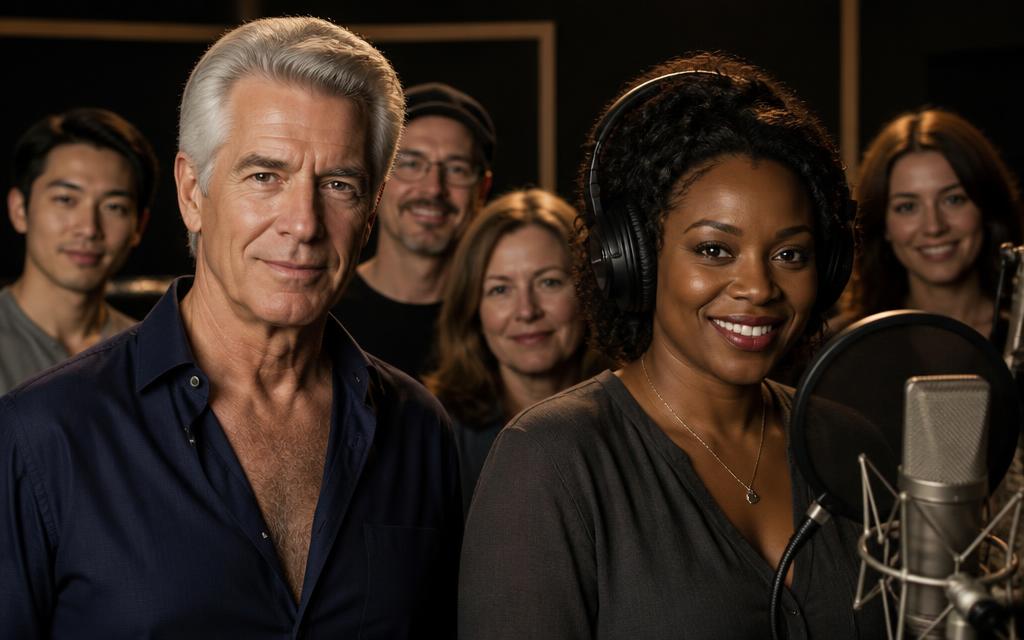
Give the narrator and every character a face and a voice — age, accent and gender matched to the book, with samples you can play.
- Step 4
Cover & opening credits
Choose the art style, generate a book cover and a spoken title card that opens the show. Video books get the full credits treatment.
- Step 5
Build & listen
Pick one chapter, a few pages or the whole book, watch it build, then play, adjust speed or export.
- Step 6
Share & go viral
Cut short vertical clips and audio samplers from your book, ready to post on TikTok, Reels, Shorts and podcasts.
Common questions
How CineBookAI turns a manuscript into an audiobook or a cinematic video book.
- What is a cinematic video book?
- It is your book performed as audio — narrator plus a separate voice for every character — with painted scene art, camera motion, ambience and karaoke-style captions on top. You can export it as an MP4, or keep the audio-only MP3 audiobook.
- Which files can I bring?
- PDF and EPUB files, page screenshots or a ZIP of them, photos of a printed book taken with your camera, pasted text, or a voice recording that CineBookAI transcribes for you.
- Do I need to invent characters or voices?
- No. CineBookAI reads your manuscript and casts only the characters your own text names, then suggests a voice, age, accent and look for each one. Everything stays editable before anything is rendered.
- Can I make an audiobook without any images?
- Yes. Audio-only is the fastest and cheapest mode. Scene art, motion and video export are optional add-ons you switch on when you want the cinematic version.
- How much does a book cost to produce?
- You pay per page you actually generate, and the cost and ROI calculator shows the estimate before you build. Short tasters cost a few credits; full-length books are quoted up front on the pricing page.
- Which languages are supported?
- English plus a growing list including Spanish, French, German, Italian, Portuguese (Portugal) and Portuguese (Brazil) as separate options, so narration and dialogue match your readers.